Make your AI UGC actor act, not just talk

You asked your agent for a UGC ad and got one back: a person, centered, talking straight into the lens for twenty seconds. Nothing in it is wrong, and you can still tell. An agency newsletter described it exactly at the end of October: the output "comes back locked off, centered, and static, technically correct and immediately readable as generated" (Inceptly(opens in new tab)).
The newsletter's point: a real creator fills in the cutaways to hands and to the product without being asked, and an AI presenter only does what the brief spells out. Live shots are how you spell those moments out for your Clipwright.io actor. You mark a few words of the script, and on those words the video cuts to a live take of the same actor acting. Every other word stays the usual take.
Two things live shots won't do. They won't rescue a weak script. And they aren't cheap per second: an acting second costs more than three times a presenter second, so you spend them on two or three moments, not on the whole ad.
What you need before you start
- A Clipwright.io account with your agent connected: the claude.ai connector, Claude Code or any MCP client (quickstart(opens in new tab)).
- A script of 15 to 30 seconds. One idea per sentence makes the next step easier.
- For a product moment: a clean photo of the product, uploaded as an asset.
- A vertical 9:16 video. Live shots work only in that format.
If you haven't made an AI UGC ad with your agent yet, start with the UGC ad loop playbook and come back with one script that works.
Step 1: Pick the words that need a body
By the end of this step you'll have two or three phrases from your script marked for a live shot.
Read the script out loud and stop where a real creator would move. Three places almost always qualify:
- The hook. The first sentence decides whether anyone watches the rest. A sigh or a lean back on it is the first thing the viewer sees.
- The product moment. The line where the product does its job: the sip, or the unboxing.
- The proof. A line the viewer should believe. A different take on it breaks the monotony of one framing.
Leave the call to action as the usual take, with the actor looking into the lens as she asks.
A video takes up to six shots, and they can't overlap. In a 20-second ad, two is usually right. Check: you can point at each marked phrase and say what the actor does on it in a few words.
Here is the script we used for this guide, marked up:
Two live shots in a 49-word script. The hook gets a talking_action shot, the product line an action shot with a light leak in and out, and the rest stays the usual take.
Step 2: Choose a kind for each moment
By the end of this step each marked phrase has one of three kinds.
| Kind | What the actor does | Use it for |
|---|---|---|
talking | Speaks to the lens with natural gestures | A line that needs a fresh take, nothing more |
talking_action | Says the words while doing something | The hook: she sighs and leans back as she speaks |
action | Acts without speaking; the words play as voice-over | The product moment: hands, the product, the result |
The kind decides the price. A talking shot costs the same as an ordinary presenter second. An acting shot, talking_action or action, costs 30 credits per second, against 9 for the usual take on HeyGen Avatar IV. Every price is in list_prices(opens in new tab), and your agent quotes the run before anything is charged.
In an action shot the actor stops talking to the camera and does something while her voice carries on. Check: each marked phrase now has one kind next to it.
Step 3: Describe the action, the place and the product
By the end of this step each shot has a plain-words description your agent can pass on.
Write the action the way you'd brief a creator: what the hands do, what the face does, where the body stays. "She sighs, leans back in her chair and rubs her temple with a tired smile, staying seated, hands empty" works. "She looks frustrated" leaves too much to guess. The description can run to 400 characters.
For an action shot you can add two more things:
- A setup: where the shot happens, such as "a wooden kitchen table in soft morning light with an open laptop". Shots with the same setup show the same place. Leave it out and the shot uses the setting of the actor's own photo.
- Your product. Set
product: trueand the actor holds your product image and shows it to the camera. The photo goes on the run asproduct_asset_id.
Today the product image reaches action shots only. product: true on a talking or talking_action shot is refused before any charge. Describe a mug in a talking_action shot instead, and the actor holds a mug, but not yours. To keep your product in the actor's hand for the whole video, first make a view of your actor holding it: create_actor with from_actor_id and holding, a PNG or JPEG of the product as its reference. It's a paid call, quoted first like a video. Then run the ad with that actor. Check: the only shot that mentions your product is an action shot with product: true.
Step 4: Choose how the video cuts in and out
By the end of this step each shot has a transition, or a deliberate plain cut.
transition | What the viewer sees | Sound |
|---|---|---|
cut (default) | A plain cut | none |
flash | A white flash | the flash sound |
light_leak | A warm red light leak | the whoosh sound |
whoosh | A cut with a whoosh | the whoosh sound |
The transition plays on the cut into the shot and on the cut out of it. Where two shots meet back to back, the incoming shot's transition is used. There's none at the video's own start or end. To keep the effects but drop the sounds, set template_sounds: false on the run.
We used one style for the whole example, a light leak into and out of the product moment, and plain cuts everywhere else.
Step 5: Ask your agent, check the quote, run it
You don't write the request by hand. Tell your agent what happens on which words:
Make a 20-second presenter ad for our mug, 9:16. On the first sentence she sighs, leans back and rubs her temple, still talking, hands empty. On "It went cold", write "no more cold coffee" by hand over her and circle "cold". On "Here's what changed", cut to her at a kitchen table with a laptop, both hands around the mug, a slow sip, no speaking, with a light leak in and out. On "keeps it hot for three hours", count up to 3h. Add warm, soft acoustic music. Trim the pauses. Quote it first.
Your agent turns that into a make_ugc call like this one:
1{
2  "actor_id": "actor_…",
3  "aspect_ratio": "9:16",
4  "script": "I used to dump half my coffee every morning. It went cold before I ever got to it. Here's what changed: this mug keeps it hot for three hours, right on my desk. No microwave trips, no cold sips. If your coffee dies on your desk too, grab one.",
5  "product_asset_id": "ast_…",
6  "pause_trim": { "sentence_end_s": 0.15, "comma_s": 0.08 },
7  "shots": [
8    {
9      "id": "hook",
10      "kind": "talking_action",
11      "anchor": { "quote": "I used to dump half" },
12      "cover_words": 9,
13      "action": "She sighs, leans back in her chair and rubs her temple with a tired smile, staying seated in her place, hands empty."
14    },
15    {
16      "id": "use",
17      "kind": "action",
18      "anchor": { "quote": "Here's what changed" },
19      "cover_words": 15,
20      "action": "Both hands around the mug, a slow sip, smiles, sets it down by the laptop.",
21      "setup": "a wooden kitchen table in soft morning light with an open laptop",
22      "product": true,
23      "transition": "light_leak"
24    }
25  ],
26  "templates": [
27    {
28      "id": "hook-title",
29      "kind": "hand_title",
30      "placement": "over",
31      "anchor": { "quote": "It went cold before" },
32      "cover_words": 8,
33      "data": { "text": "no more cold coffee", "mark": { "word": 2, "style": "circle", "at": "went cold" } }
34    },
35    {
36      "id": "hours",
37      "kind": "stat",
38      "placement": "over",
39      "anchor": { "quote": "keeps it hot for three hours" },
40      "cover_words": 9,
41      "data": { "value": 3, "suffix": "h", "label": "hot, right on your desk", "size": "large" }
42    }
43  ],
44  "music": { "mood": "warm cozy morning, soft acoustic guitar, light and friendly" }
45}
anchor is the first words of the shot, quoted from the script. cover_words is how many spoken words it stays on. The hook shot covers the first sentence, nine words. The second shot covers the fifteen words from "Here's what changed" to "desk", played as voice-over while she drinks. pause_trim shortens the gaps between sentences and after commas, so the ad keeps its pace.
templates and music are optional and go in the same request. A template is anchored on the script the same way a shot is, with anchor and cover_words. hand_title writes its text by hand over the presenter, and mark circles one of its words (counted from zero, so 2 is "cold") when the voice reaches "went cold". stat counts up to a number. Both are drawn over the video, so the stat can sit on the words of the action shot, over the sip. music takes a mood in plain words. Templates add no charge. Music is its own line on the quote, 60 credits per track, charged only when the video is delivered with it.
Read the quote before you say yes. It lists the presenter seconds, each kind of acting second and the music as separate lines, so you can see what the shots add. Check: next to the presenter and finished-video lines, the quote has two acting lines and one music line.
The run behind this guide
The finished ad runs 14.1 seconds, and 8 of them are live shots. Three are the hook, where she sighs and rubs her temple as she talks. Five are the mug at the kitchen table. Watch the cut at "Here's what changed": a warm red light leak, then her hands around the mug while the voice carries on. On the second sentence "no more cold coffee" is written out by hand and "cold" gets a circle. Over the sip the count runs up to 3h. Warm, cozy music made for the video plays under the voice.
It came out shorter than the quote's estimate of about 19 seconds, because pause_trim and a fast voice tightened it. You pay for the delivered seconds, not the estimate: the quote said 469 credits and the run was charged 378. Presenter 7 s × 9 = 63, acting while talking 3 s × 30 = 90, acting under voice-over 5 s × 30 = 150, finished video 15 s × 1 = 15, music one track × 60 = 60. The two templates added nothing. The presenter and acting lines each round their own seconds up, which is why they add up to 15 against a 14.1-second video.
Common mistakes
Describing the product in a talking shot. Today only an action shot with product: true shows your product. Anything you describe in another shot is drawn freely and won't be yours. For the product in hand from start to finish, use an actor view made with holding (Step 3).
A full-frame template on a shot's words. It hides the shot, and you still pay for the shot. Put full-frame cards on other words. Templates drawn over the video, such as a stat or a hand title, are fine on a shot.
Shots on every line. At 30 credits per acting second, a fully acted 20-second ad costs more than three times the usual take. It also loses the line where the actor looks into the lens and asks for the click.
Shots in a 16:9 or 1:1 video. Live shots need 9:16. Shots and segments don't combine either. Both are refused before anything is charged.
Overlapping shots. Two shots can't share a word. Anchor each one on its own phrase and count cover_words from there.
FAQ
Can the AI actor hold my product for the whole video?
Yes, but not through live shots. Today the product image reaches action shots only. For the whole video, make a view of your actor holding the product (create_actor with from_actor_id and holding, the product picture as its reference) and run the ad with that actor. To show the product next to the presenter instead, use an overlay or an insert from the docs(opens in new tab).
How much does a live shot cost?
A talking shot costs the same as an ordinary presenter second. An acting shot, talking_action or action, costs 30 credits per second. The presenter take on HeyGen Avatar IV is 9 credits per second, plus 1 per second of video. Your agent quotes the run before anything is charged; current prices are in list_prices(opens in new tab).
Do live shots work with captions and templates?
Yes, in the same run. The one conflict is a full-frame template over a shot's words, which hides the shot you pay for. A template drawn over the video can share a shot's words, as the stat does in the example. Caption styles(opens in new tab) draw over shots as they do over the usual take. A template never sits on top of captions. The captions move out of its way, and hide while it covers their place: a hand_title takes their spot, and in the example the large stat filled the lower third, so the captions sat out those two seconds.
My agent doesn't see shots on claude.ai. Why?
claude.ai keeps the tool list from when you added the connector. Reconnect the Clipwright.io connector and shots appears. Over the API, in Claude Code and in other MCP clients it's available today.
What if a shot doesn't come out the way I described?
Change the description and start a new run. A run that delivers no file costs nothing; a delivered run is charged, even when you don't like it. The usual fix is a more physical description: hands, face, where the body stays, as in Step 3.
Try it on your last ad
Open the last UGC ad your agent made and find the one line where a real creator would have moved. Ask your agent for a single action shot on it, with your product in hand, and read the quote before you run it. Then watch it next to the version you had. If you're making hooks in batches, put the shot on the hook line in the ad loop and compare it against a talking-only version.
Your AI ad reads as generated before the hook lands.
A centered talking head gives it away in the first seconds. Ask your agent for an acting take on the words that matter; every run is quoted before it starts.
Give your agent live shotsAbout the Author

Founder at Dimantika
Co-founder of Dimantika, the company behind Clipwright.io and ViralFaceless. Builds both with coding agents. Previously ran GlockSoft with a partner for about 15 years. Writes here about handing video production to agents.
View all postsMore articles you might like.
How to create a video ad with AI from one brief
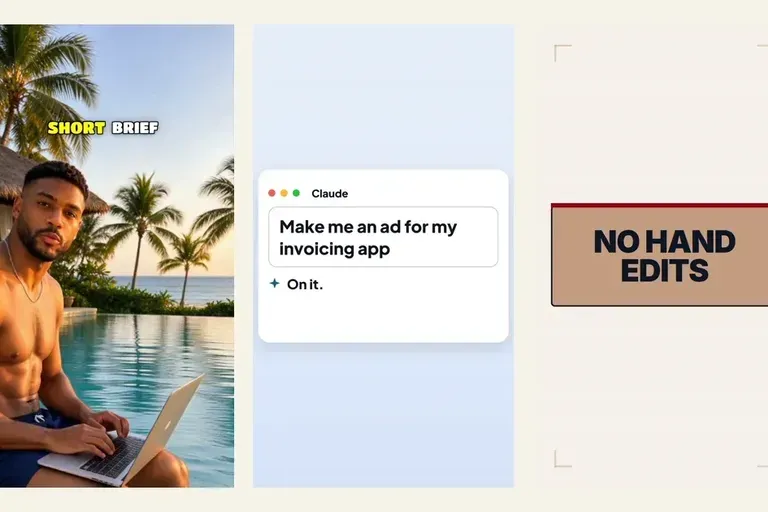
How to create a video ad with AI where you approve every step: a short brief, a reel that took off, a beat plan, your notes, then the price before it runs.
Put the product on screen in your AI UGC video ads
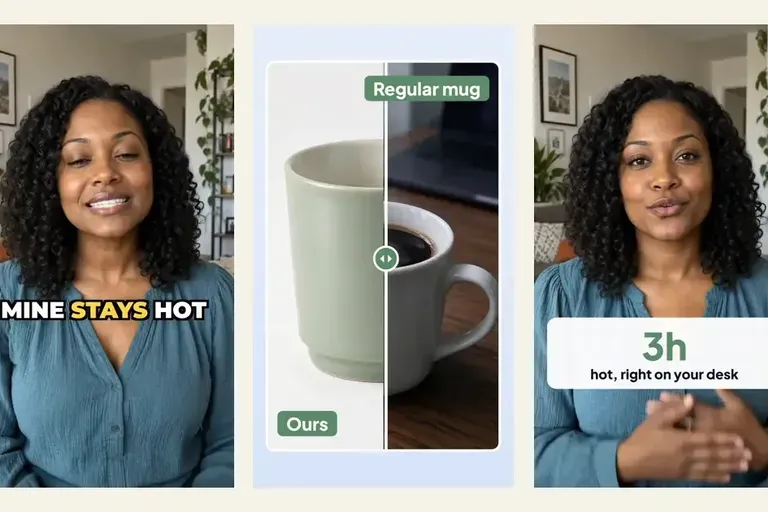
Most AI UGC video ads hand back a talking head and leave the product for an editor. Templates put a before-and-after, a number and an end card on the words that sell, in the same request.
Thirty hooks by Friday: running a UGC ad loop with an agent and Clipwright.io
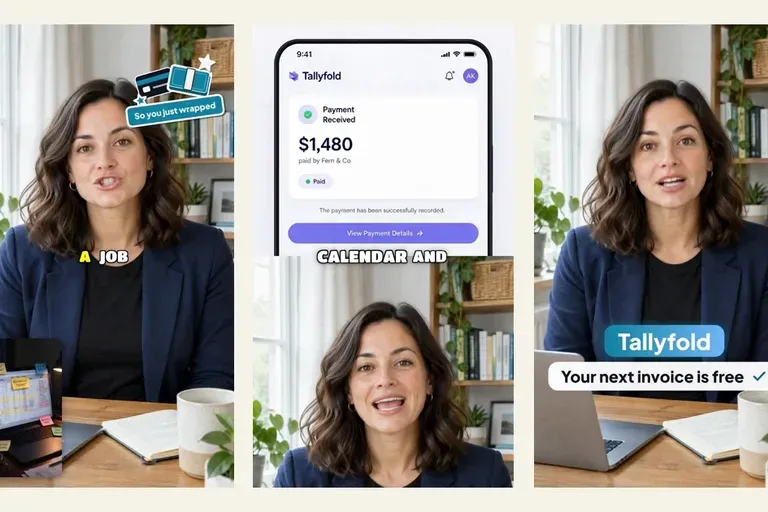
A UGC ad loop you can hand to an agent: six steps and eight prompts, from buyer segments to a reviewed queue, plus one example run with its quote and charge.